What is Workflow Automation?
Workflow automation uses technology to perform repetitive tasks and processes with minimal human intervention. Instead of manually moving data between systems, sending reminder emails, or updating spreadsheets, automated workflows handle these actions based on predefined triggers and rules.
At its core, workflow automation answers a simple question: "What routine work can we have computers do instead of people?"
The Evolution of Workflow Automation
Workflow automation isn't new. Businesses have been automating processes since the industrial revolution. What's changed is accessibility:
1990s-2000s: Enterprise-Only Era
Automation required expensive enterprise software and dedicated IT teams. Only large corporations could justify the investment.
2010s: The SaaS Revolution
Cloud-based tools like Zapier and IFTTT democratized basic automation. Small businesses could connect apps without coding.
2020s: AI-Powered Automation
Modern tools combine traditional automation with artificial intelligence, enabling automation of complex tasks that previously required human judgment.
Types of Workflows You Can Automate
Data Entry and Transfer
Moving information between systems is one of the highest-value automation opportunities. Examples include:
- Copying customer information from web forms to your CRM
- Syncing inventory levels across sales channels
- Updating financial records from transaction data
Document Generation
Creating documents from templates eliminates repetitive formatting work:
- Generating invoices from order data
- Creating contracts with pre-filled client information
- Producing reports from database queries
Communication Workflows
Automated communications maintain relationships without manual effort:
- Welcome email sequences for new customers
- Appointment reminders and follow-ups
- Status update notifications to stakeholders
Approval Processes
Structured approval workflows eliminate bottlenecks:
- Purchase order approvals with routing based on amount
- Time-off requests with automatic policy checking
- Content approvals with stakeholder notifications
Data Processing
Transforming and analyzing data at scale:
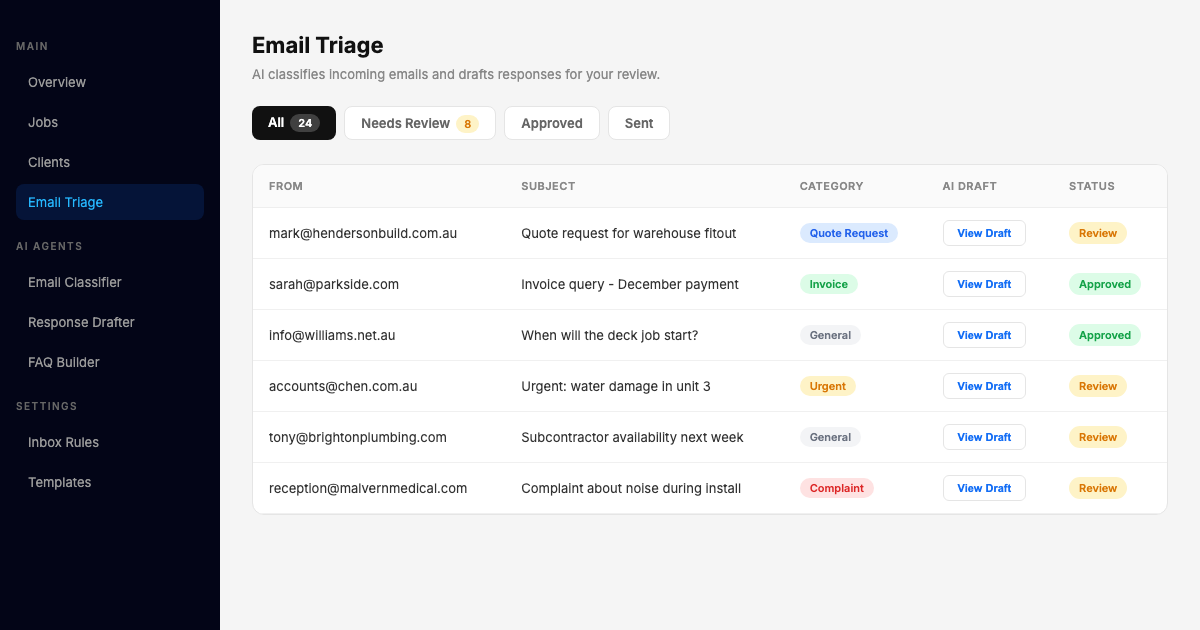
- Categorizing incoming support tickets
- Extracting information from documents
- Validating data against business rules
Key Components of Automation Systems
Triggers
Triggers are events that start an automated workflow. Common triggers include:
- Time-based: "Every Monday at 9am" or "30 days after signup"
- Event-based: "When a form is submitted" or "When a file is uploaded"
- Condition-based: "When inventory falls below threshold"
- Manual: "When someone clicks this button"
Actions
Actions are the tasks the automation performs. These can include:
- Creating, updating, or deleting records
- Sending emails, SMS, or notifications
- Generating documents or reports
- Calling external APIs
- Moving files between systems
Conditions
Conditions add logic to determine which actions to take:
- If order total > $500, require manager approval
- If customer is in California, apply different tax rate
- If request type is urgent, skip to front of queue
Integrations
Integrations connect your automation to external systems through:
- Native integrations: Built-in connections to popular tools
- APIs: Programmatic access to system functionality
- Webhooks: Real-time event notifications between systems
- File-based: Import/export through CSV, XML, or JSON files
The Implementation Process
Phase 1: Discovery (1-2 weeks)
The goal is understanding your current state:
- Document existing processes in detail
- Identify pain points and inefficiencies
- Quantify time and cost of manual work
- Interview stakeholders about requirements
Phase 2: Design (1-2 weeks)
Design the automated workflow:
- Map the ideal future state
- Define triggers, actions, and conditions
- Identify required integrations
- Plan exception handling
Phase 3: Build (2-4 weeks)
Construct the automation:
- Configure the automation platform
- Set up integrations
- Build workflow logic
- Implement error handling
Phase 4: Test (1-2 weeks)
Verify everything works correctly:
- Test happy path scenarios
- Test edge cases and exceptions
- Validate data accuracy
- Confirm notifications work
Phase 5: Deploy (1 week)
Roll out to production:
- Train end users
- Migrate from manual process
- Monitor initial performance
- Address issues quickly
Phase 6: Optimize (Ongoing)
Continuous improvement:
- Review performance metrics
- Identify enhancement opportunities
- Expand to related workflows
- Update as business changes
Measuring Automation Success
Efficiency Metrics
- Time saved: Hours of manual work eliminated
- Throughput: Volume processed per time period
- Cycle time: Duration from start to completion
Quality Metrics
- Error rate: Mistakes per transaction
- Accuracy: Correct outcomes as percentage
- Consistency: Variation in outputs
Business Metrics
- Cost savings: Reduced labor and overhead
- Revenue impact: Faster sales cycles, better customer experience
- Scalability: Ability to handle volume growth
Common Implementation Challenges
Challenge 1: Poorly Defined Processes
You can't automate what you don't understand. Many automation projects stall because the current process isn't documented clearly.
Solution: Invest time upfront in process mapping. Walk through the workflow step by step with the people who do it daily.
Challenge 2: Integration Complexity
Connecting systems often reveals unexpected technical challenges - incompatible data formats, authentication issues, or API limitations.
Solution: Conduct technical discovery before committing to a timeline. Build proof-of-concept integrations for the riskiest connections.
Challenge 3: Change Resistance
People may resist automation if they fear job loss or distrust the new system.
Solution: Involve end users from the start. Position automation as eliminating tedious work, not eliminating roles. Celebrate and reward adoption.
Challenge 4: Scope Creep
It's tempting to add "one more thing" to an automation project, leading to delays and complexity.
Solution: Define a clear scope and stick to it. Create a backlog for future enhancements and address them in subsequent phases.
Building Your Automation Strategy
Start with Quick Wins
Identify workflows that are:
- High volume (run frequently)
- Rules-based (clear logic)
- Low complexity (few integrations)
- Visible (stakeholders will notice the improvement)
These "quick wins" build momentum and credibility for larger projects.
Build Internal Capability
Don't outsource everything forever. Develop internal expertise through:
- Training team members on automation tools
- Documenting your automations thoroughly
- Creating standards for future projects
- Building a center of excellence
Plan for Maintenance
Automations need ongoing care:
- Systems update and break integrations
- Business rules change
- New requirements emerge
- Performance degrades over time
Budget 10-20% of implementation effort annually for maintenance.
The Future of Workflow Automation
Workflow automation continues to evolve rapidly:
AI-Enhanced Decision Making: Automation tools increasingly incorporate AI to handle ambiguous situations that previously required human judgment.
Low-Code/No-Code Platforms: Building automations becomes accessible to non-technical users, accelerating adoption across organizations.
Hyperautomation: Combining multiple automation technologies (RPA, AI, process mining) to automate end-to-end processes.
Intelligent Document Processing: AI-powered extraction of information from unstructured documents like contracts, invoices, and emails.
Next Steps
Ready to explore workflow automation for your business?
- Self-Assessment: Download our Ops Automation Playbook to identify your best automation candidates
- Learn More: Read our guide on Getting Started with Workflow Automation
- Get Expert Help: Book a consultation to discuss your specific automation opportunities
The best time to start automating was years ago. The second best time is now.